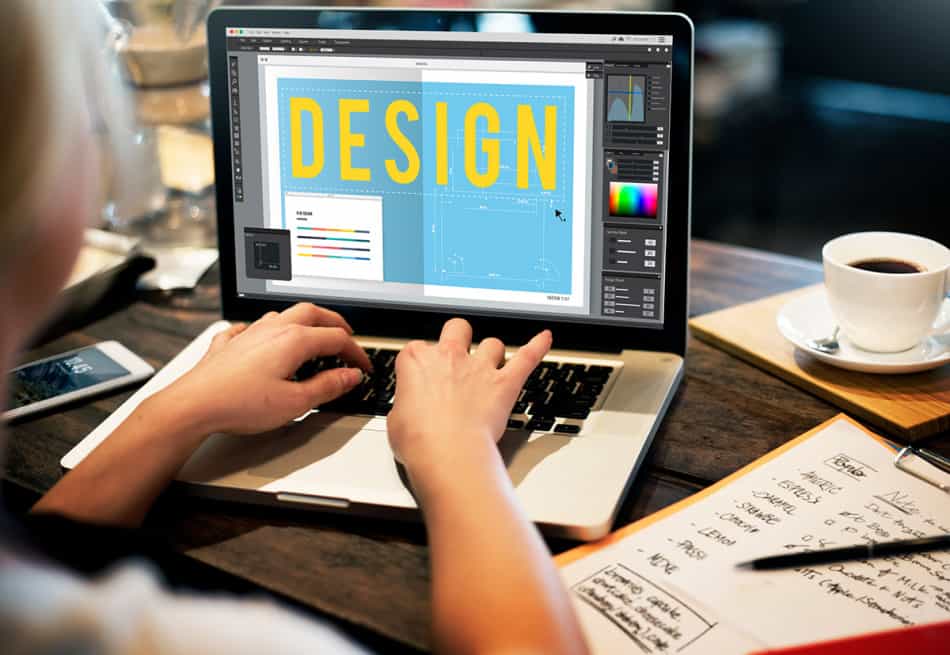

Self-learning graphic design has become increasingly accessible thanks to the wealth of online resources, software tools, and communities available today. To self-learn graphic design, you need to master foundational design principles, gain proficiency in industry-standard software like Adobe Creative Suite, build a portfolio through consistent practice, and immerse yourself in design theory while studying the work of established designers. This complete guide will walk you through every step of teaching yourself graphic design from scratch.
What is Graphic Design?
Graphic design is the art and practice of planning and projecting ideas and experiences with visual and textual content. Graphic designers create visual concepts using computer software or by hand to communicate ideas that inspire, inform, and captivate consumers. They develop the overall layout and production design for applications such as advertisements, brochures, magazines, corporate reports, websites, and mobile apps. The field encompasses typography, color theory, composition, branding, and visual communication, making it both a creative and technical discipline that requires continuous learning and adaptation to new trends and technologies.
How to Get Started Learning Graphic Design
Beginning your graphic design journey requires the right combination of theoretical knowledge and practical skills. The following resources will provide you with a solid foundation in both areas.
Best Textbooks
The Elements of Graphic Design by Alex W. White is an essential resource that breaks down the fundamental principles of graphic design in an accessible way. This book covers spacing, unity, page architecture, and modularity with clear examples and practical applications. It’s perfect for beginners who want to understand the “why” behind design decisions rather than just the “how.”
Graphic Design: The New Basics by Ellen Lupton and Jennifer Cole Phillips offers a contemporary approach to design education. Published by Princeton Architectural Press, this book explores the formal elements of design—point, line, plane, scale, hierarchy, layers, and transparency—with exercises and examples from leading designers. It’s structured like a design course and works excellently for self-directed learners.
Logo Design Love by David Airey is an invaluable resource specifically focused on identity design and branding. While more specialized than general design books, it provides deep insights into the process of creating effective logos and building brand identities, complete with case studies from Airey’s professional experience.
Free Online Courses
Graphic Design Specialization by CalArts on Coursera is one of the most comprehensive free courses available. This five-course series covers fundamentals, typography, imagery, ideas, and culminates in a capstone project. Taught by faculty from the California Institute of the Arts, it provides university-level instruction that you can access for free (paying only if you want a certificate).
edX Graphic Design Courses offers various graphic design programs from institutions worldwide. These courses cover everything from basic design principles to advanced Adobe software training, allowing you to choose based on your current skill level and interests.
MIT OpenCourseWare Introduction to Design Techniques provides free access to course materials from MIT’s design program. While more architecturally focused, the design thinking and problem-solving approaches translate directly to graphic design work.
YouTube Channels
The Futur is an exceptional YouTube channel run by Chris Do, offering insights into design, business, and branding. The channel features tutorials, client meeting breakdowns, and discussions about the design industry that are invaluable for self-learners trying to understand professional practice.
Piximperfect specializes in Adobe Photoshop tutorials with extremely clear, step-by-step instructions. While focused on one tool, the channel helps you master an essential piece of design software with professional-quality techniques.
Satori Graphics provides excellent tutorials on design principles, Adobe Illustrator, and creative thinking. The channel balances software instruction with conceptual design education, making it perfect for holistic learning.
Podcasts
Design Matters with Debbie Millman is one of the world’s first podcasts and continues to be one of the most insightful. Millman interviews designers, artists, and creative thinkers, providing inspiration and insight into the creative process. Each episode offers perspectives that can shape your approach to design.
Presentable explores how we design and build the products that are shaping our digital future. Hosted by Jeff Veen, the podcast discusses design decisions, processes, and the intersection of design with business and technology, giving you a broader context for your design work.
Graphic Design Subtopics and Branches
Graphic design is a broad field with numerous specializations. Understanding these branches will help you focus your learning journey and discover which areas resonate most with your interests and career goals.
Typography and Type Design
Typography is the art and technique of arranging type to make written language legible, readable, and appealing. This fundamental aspect of graphic design involves understanding typefaces, fonts, spacing, hierarchy, and how text interacts with other visual elements. Self-learning typography requires studying the history of type, practicing font pairing, and understanding the emotional and psychological impact of different typefaces. Resources like Practical Typography by Matthew Butterick offer excellent free guidance. Mastering typography is essential because text appears in virtually every design project, and poor typographic choices can undermine even the most creative concepts. As you develop your skills in self-directed learning, which you can read more about in our guide on how to teach yourself anything, typography should be one of your core focus areas.
Brand Identity and Logo Design
Brand identity design involves creating the visual elements that represent a company or product, including logos, color palettes, typography systems, and visual guidelines. This specialization requires understanding marketing, psychology, and business strategy alongside design skills. Self-learners should study iconic brands, understand the strategic thinking behind visual identities, and practice creating comprehensive brand systems rather than just standalone logos. The process involves research, concept development, iteration, and presentation skills. Building a portfolio in this area means creating complete brand identity packages, not just individual marks. This branch of design often commands higher fees and requires understanding client needs, making it both challenging and rewarding for autodidacts who invest the time to master it.
User Interface (UI) and User Experience (UX) Design
UI/UX design focuses on creating digital products that are both visually appealing and functionally effective. This rapidly growing field combines graphic design with psychology, research, and interaction design. Self-learners need to understand wireframing, prototyping, user research, information architecture, and design systems. Tools like Figma, Adobe XD, and Sketch are industry standards. Unlike traditional graphic design, UI/UX requires thinking about user flows, accessibility, responsiveness across devices, and how people interact with digital interfaces. The field demands continuous learning as technology evolves, making it perfect for autodidacts who enjoy staying current with new developments. Resources like Nielsen Norman Group articles provide research-based insights into usability and human-computer interaction.
Motion Graphics and Animation
Motion graphics brings static designs to life through animation, combining graphic design with video editing and animation principles. This specialization is increasingly important as video content dominates digital marketing and social media. Self-learners should master software like Adobe After Effects, learn animation principles (timing, easing, anticipation), and understand how movement can enhance communication and engagement. Motion graphics appears in title sequences, explainer videos, social media content, user interface animations, and broadcast design. Teaching yourself this skill requires patience and practice, as animation involves understanding both spatial and temporal design. Online platforms like School of Motion offer structured learning paths, though many resources require investment beyond free options.
How to Study Graphic Design on Your Own
Successfully self-learning graphic design requires more than just consuming tutorials—it demands a strategic, disciplined approach to skill development and knowledge acquisition.
Establish a structured learning schedule. Treat your design education like a real commitment by dedicating specific hours each week to learning. Create a curriculum that balances theory (design principles, color theory, typography) with practical skills (software mastery, project work). Consistency matters more than intensity; studying 10 hours per week consistently will yield better results than sporadic 30-hour binges.
Build projects from day one. Don’t wait until you feel “ready” to start creating. Begin with simple projects like redesigning existing logos, creating poster designs, or developing fictional brand identities. Each project teaches you something new and adds to your portfolio. Set yourself design briefs—written descriptions of project goals and constraints—to simulate real client work. Platforms like Briefbox provide practice briefs for skill development.
Seek feedback actively. Self-learning doesn’t mean learning in isolation. Join design communities on Reddit (r/graphic_design, r/design_critiques), participate in Facebook groups, or use platforms like Dribbble and Behance to share work and receive constructive criticism. Learning to accept and implement feedback is crucial for improvement. Consider finding a mentor or more experienced designer who can review your work periodically.
Study existing work critically. Develop the habit of analyzing designs you encounter daily. Why does a particular poster work? How did the designer create visual hierarchy? What makes one website more engaging than another? Create a “swipe file” or inspiration collection using tools like Pinterest or Are.na, but don’t just save images—write notes about what makes each piece effective. This analytical approach, central to effective autodidactic learning, accelerates your understanding of design principles.
Master the tools progressively. Start with one primary design software—Adobe Illustrator for vector work or Photoshop for raster images—and become proficient before adding others. Watch tutorials, but more importantly, recreate designs you admire to understand how effects and techniques are achieved. Learn keyboard shortcuts and efficient workflows to speed up your process. Remember that software is just a tool; understanding design principles matters more than knowing every feature of a program.
Embrace constraints and challenges. Participate in design challenges like Daily Logo Challenge or Inktober adaptations for designers. Constraints force creative problem-solving and prevent perfectionism paralysis. Time limits, color restrictions, or specific style requirements push you beyond your comfort zone and develop versatility.
Document your learning journey. Keep a design journal or blog where you reflect on what you’re learning, challenges you face, and solutions you discover. This metacognitive practice—thinking about your thinking—reinforces learning and creates a record of your progress. It also helps build your online presence, which is valuable for future career opportunities.
Balance breadth and depth. Initially, explore various design areas to discover your interests, but eventually specialize in one or two areas to develop marketable expertise. Being a generalist has value, but having deep knowledge in specific areas (like brand identity or UI design) makes you more competitive professionally.
Learn the business side. Understanding client communication, project pricing, contracts, and professional practices is as important as design skills. Resources like The Futur’s YouTube channel cover business aspects often overlooked in traditional design education. Learning how to present and defend your design decisions is a skill that requires deliberate practice.
Stay current but focus on fundamentals. Design trends change constantly, but fundamental principles remain stable. Build a strong foundation in composition, color, typography, and visual communication before chasing the latest aesthetic trends. Once you understand the rules, you can break them intentionally and adapt to any stylistic direction the industry moves toward.
Conclusion
Self-learning graphic design is an entirely achievable goal with today’s abundance of resources and supportive creative communities. The journey requires dedication, consistent practice, and strategic use of the many free and affordable learning materials available online and in print. By combining theoretical knowledge from books and courses with practical experience through personal projects, actively seeking feedback, and staying engaged with the design community, you can develop professional-level skills without traditional formal education. Remember that every professional designer continues learning throughout their career—design is not a destination but an ongoing process of growth, experimentation, and refinement. Start with the fundamentals, build your portfolio steadily, and don’t let perfectionism prevent you from creating and sharing your work. Your unique perspective and self-directed learning approach will become assets that differentiate you in a competitive field. The key is to begin, remain consistent, and embrace both the challenges and joys of teaching yourself this valuable creative skill.
Sources
- Wikipedia – Graphic Design
- Coursera – Graphic Design Specialization by CalArts
- edX – Graphic Design Courses
- MIT OpenCourseWare – Introduction to Design Techniques
- The Futur – YouTube Channel
- Piximperfect – YouTube Channel
- Satori Graphics – YouTube Channel
- Design Matters with Debbie Millman Podcast
- Presentable Podcast
- Practical Typography
- Nielsen Norman Group
- School of Motion
- Briefbox
- Daily Logo Challenge
- Autodidact Society – How to Teach Yourself Anything
“`